patch vs patchAttributes
When working with the Google Business Profile (GBP) API, you might wonder whether to use the general location update method or the dedicated patchAttributes method when managing business attributes (like amenities, accessibility, and dining options).
With the introduction of the Business Information API v1, Google has separated core location data from location attributes. Here is a breakdown of why and how you should use patchAttributes.
The Difference
1. patch (Core Location Fields)
The general patch method on a location (e.g., client.locations.patch()) is used to modify core business information. This includes:
- Business Name
- Address & Coordinates
- Phone Numbers
- Categories
- Website URL
- Regular Hours
You cannot update attributes using the standard location update method.
2. patchAttributes (Location Attributes)
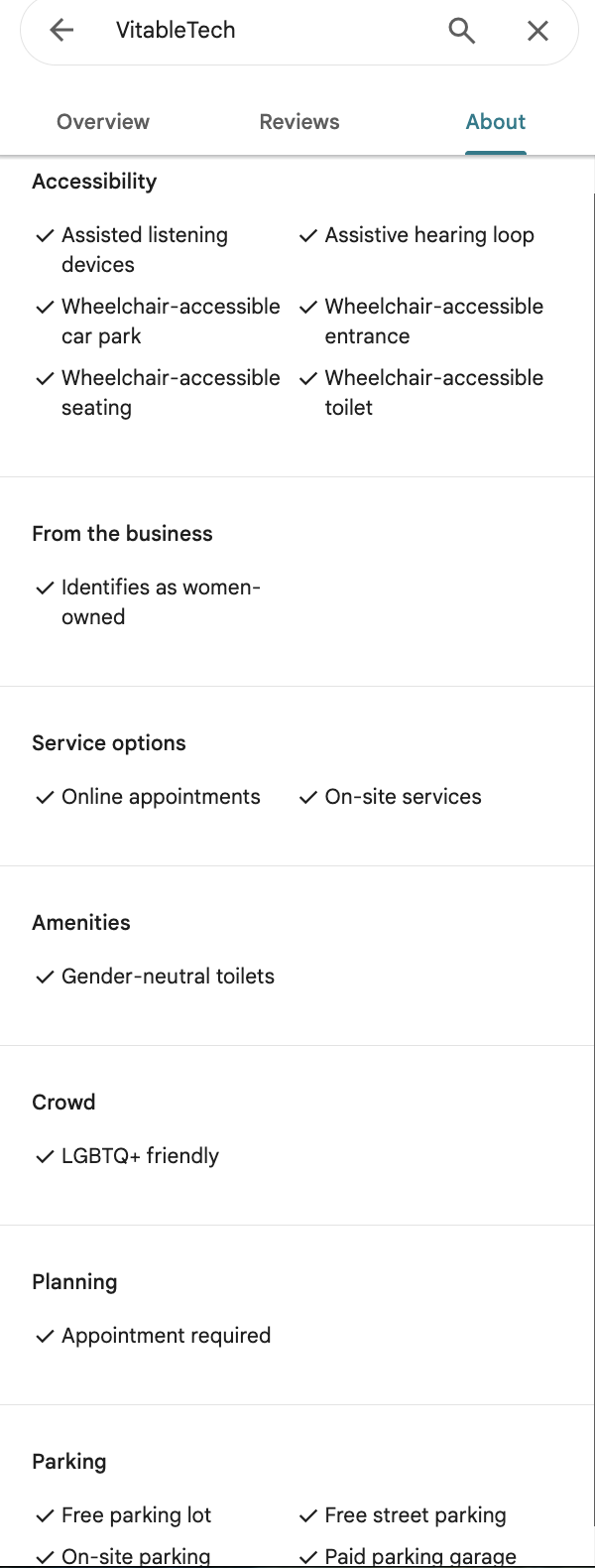
The patchAttributes method is a dedicated endpoint specifically for managing dynamic business attributes. Attributes are characteristics of a location that can change frequently or vary by category (e.g., "Has Wi-Fi", "Wheelchair Accessible", "Requires Appointments").
Why use patchAttributes?
- Required by Google API v1: In the legacy GMB API (v4.9 and older), attributes were embedded directly within the location object. In the new Business Information API v1, Google enforces a separation of concerns. You must use the
/v1/locations/{locationId}/attributesendpoint (which maps to our SDK'spatchAttributes) to modify them. - Reduced Payload Size: By updating attributes separately, you don't need to fetch and send back the entire location object. You only send the specific attributes you want to change, saving bandwidth and reducing the risk of accidentally overwriting other location data.
- Targeted Updates: The
attributeMaskallows you to specify exactly which attributes you are updating.
3. High-Level Helper vs Low-Level Method
When you've decided to update attributes, the SDK provides two ways to do it depending on how much control you need.
client.attributes.updateLocationAttributes (Recommended)
This is a high-level helper method designed for ease of use. You simply pass in the locationId and an array of attributes. The SDK automatically:
- Formats the full resource name.
- Constructs the JSON payload.
- Automatically computes the
attributeMaskby extracting the names of all the attributes you provided.
Example:
await client.attributes.updateLocationAttributes(locationId, [
  {
    name: 'attributes/is_black_owned',
    values: [true],
  },
  {
    name: 'attributes/is_owned_by_disability',
    values: [true],
  },
  {
    name: 'attributes/is_owned_by_indigenous',
    values: [true],
  },
]);
client.locations.patchAttributes (Advanced)
This is the low-level method that maps exactly to the raw Google REST API endpoint. You must manually construct the full payload and manually provide the exact attributeMask string. Use this if you need fine-grained control over the mask or want to pass the exact raw data structure Google expects.
Example:
const attributeData = {
  name: `locations/${locationId}/attributes`,
  attributes: [
    {
      name: 'attributes/is_black_owned',
      values: [true],
    },
    {
      name: 'attributes/is_owned_by_disability',
      values: [true],
    },
    {
      name: 'attributes/is_owned_by_indigenous',
      values: [true],
    },
  ],
};

// You must manually provide 'attributes' as the attributeMask
await client.locations.patchAttributes(
  locationId,
  attributeData,
  'attributes/is_black_owned,attributes/is_owned_by_disability,attributes/is_owned_by_indigenous'
);
Summary
- Use the core
patchmethod (client.locations.patch) only for standard business details like name, phone, and hours. - For business attributes (amenities, flags), always use the attribute endpoints.
- Use
client.attributes.updateLocationAttributesfor 99% of attribute updates as it requires less boilerplate and handles theattributeMaskautomatically. - Use
client.locations.patchAttributesif you explicitly need manual, low-level control over the raw REST payload and field masks.